
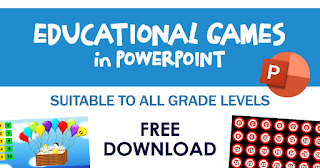
Here are the available educational games in PowerPoint that we can make use to our learners. These templates are editable and you can input your own educational content to make the learning process even more challenging, fun, and interesting.
We would like to acknowledge the rightful owners of these educational games. These materials were distributed by the DepEd OER Team during their training for the teachers in different locations in the country.

OTHER FREE DOWNLOADABLE LEARNING MATERIALS
FREE DOWNLOADABLE MATERIALS
| |
Spelling Words (Grade 1-6)
| |
Spelling Practice Books (Grade 1-6)
| |
Basic Sight Words (Grade 1-6)
| |
Vocabulary Word List (Grade 1-6)
| |
Reading Drill Materials (KG, Grade 1-6)
| |
Reading Phrases (Grade 1-6)
| |
Developing Reading Power (Grade 1-6)
| |
Reading Comprehension Worksheets (Grade 1-6)
| |
Remedial Reading Materials (English, Filipino)
| |
POEMS (Grade 1-6)
| |
Math Activity Sheets (Grade 1-6)
| |
Math Addition Worksheets (KG, Grade 1-6)
| |
Math Subtraction Worksheets (KG, Grade 1-6)
| |
Math Multiplication Worksheets (KG, Grade 1-6)
| |
Math Division Worksheets (Grade 1 – 6)
| |
Word Problem Worksheets (Grade 1 – 6)
| |
Fraction Worksheets (Grade 1 – 6)
| |
Addition Flashcards (Grade 1 -6)
| |
Addition Drills Worksheets (Grade 1-6)
| |
Subtraction Flashcards (Grade 1 -6)
| |
Educational eBooks (Math, Science, Reading)
| |
Reading Flashcards (KG, Grade 1 – 6)
| |
Handwriting Worksheets (KG, Grade 1 – 6)
| |
English Activity Sheets Based on MELCs
| |
English Grammar Practice Books (Grade 1 – 6)
| |
Sentence Worksheets (Grade 1 – 6)
| |
Noun Worksheets (Grade 1 – 6)
| |
Maikling Kwento (Grade 1 – 6)
| |
DISCLAIMER: We do not claim ownership of some of these posted materials. We only share it for educational purposes and to help our fellow teachers in their teaching journey. Please do contact us if you are the rightful owner of these files for proper recognition or should you seek to remove it from this site.
FREE Educational Games in PowerPoint (download here)
 Reviewed by DepEd Click
on
June 29, 2020
Rating:
Reviewed by DepEd Click
on
June 29, 2020
Rating:
Reviewed by DepEd Click
on
June 29, 2020
Rating:


The iconic sounds, the unforgettable characters, the pure joy of platforming – it's all here in super mario 64 Online.
ReplyDeleteCreating a game in PowerPoint is an innovative way to combine creativity and technology, offering an interactive experience. It’s possible to design simple games, such as quizzes or puzzles, using PowerPoint's built-in features like hyperlinks, animations, and transitions. These can be organized to create a smooth, engaging gameplay experience where each slide serves as a different stage or challenge. By integrating codes for type soulgame codes, there’s a chance to enhance the interactivity and complexity, allowing for a more dynamic and personalized gaming experience. You can experiment with various elements to develop your own unique game concept that fits within PowerPoint’s structure. With a little exploration, the potential to create something entertaining and educational could be quite exciting.
ReplyDeleteI love how this post taps into the hidden potential of PowerPoint—turning slides into interactive learning games is such a creative and accessible idea for both teachers and students. The ability to customize content makes it even more versatile: whether you want quizzes, puzzles, or storytelling modules, it’s a smart way to blend teaching tools with digital engagement.
ReplyDeleteI’ve also seen parents explore quick mobile play for kids between lessons—and something like offers a simple, fun option when students need a little break that’s still tech-oriented and easy to manage.
https://subwaysurfersapks.com/
DeleteAn educational game PowerPoint could possibly be a fun and creative way to make learning more interactive. It may allow students to participate in quizzes, puzzles, and challenges that keep their attention while teaching valuable lessons. Teachers might design slides with colorful visuals and simple instructions to make every concept feel like a mini-adventure. The excitement of learning could increase as students engage with different activities on screen.
ReplyDeleteJust like how Toca Boca Mod Apk might offer endless creative chances for exploration and imagination, educational PowerPoints could bring a similar spark of curiosity into the classroom. There’s a good chance this playful approach could turn studying into something students actually look forward to.
Educational games in PowerPoint make learning more interactive and enjoyable. Teachers can create quizzes, puzzles, and challenges that help students understand complex topics in a fun way. These activities encourage participation and teamwork while improving memory and focus. For students or educators seeking creative visual materials, it’s helpful to buy PowerPoint presentation poster https://advanced-writer.com/buy-powerpoint-presentation
ReplyDelete